Adding Puzzles and Clues
Written By Hudson from ERS
Last updated 11 months ago
Creating a Puzzle
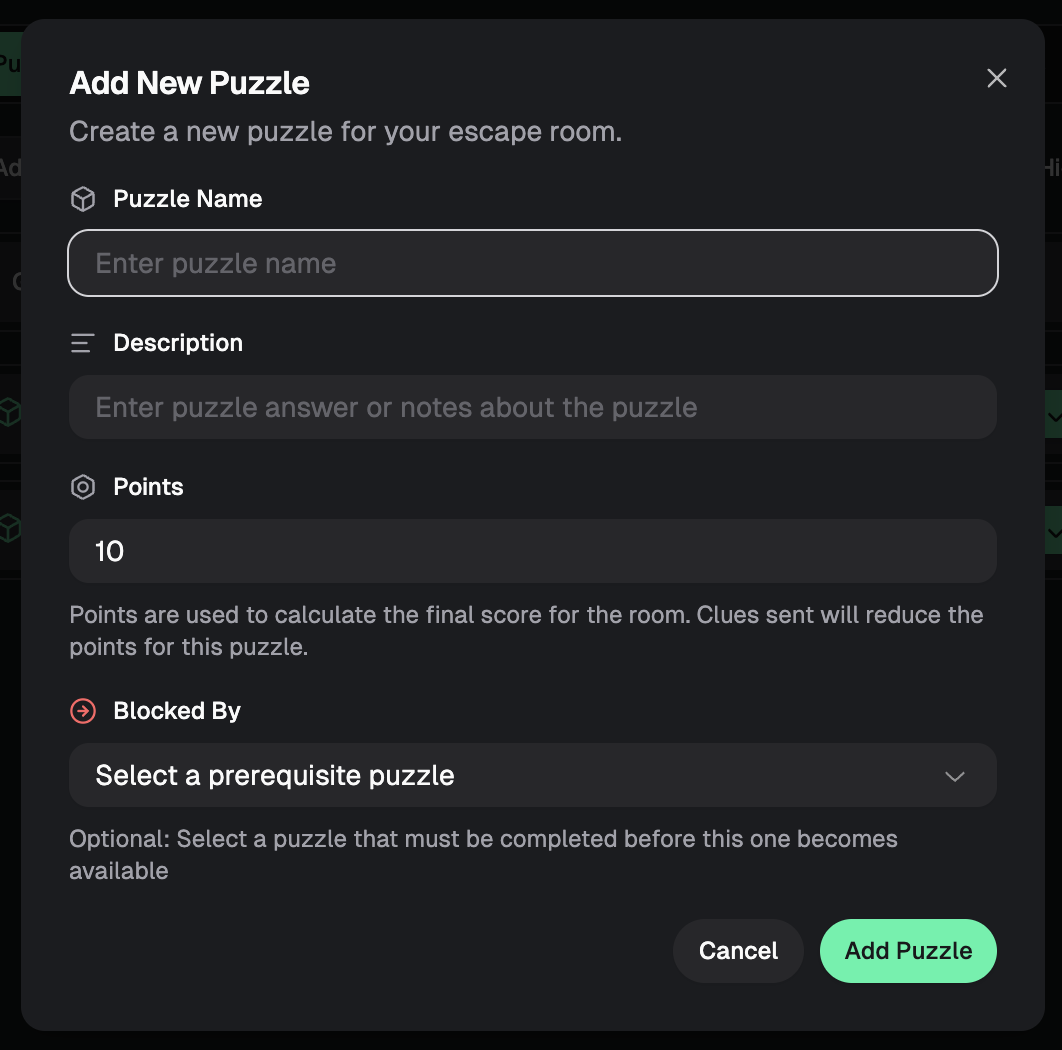
After clicking on “Add Puzzle”, a dialogue box will pop up. Fill out the puzzle name, description, points (optional), and prerequisite puzzle (optional).
Points
Points are used to calculate the final score for the room. Clues sent will reduce the points for a given puzzle.
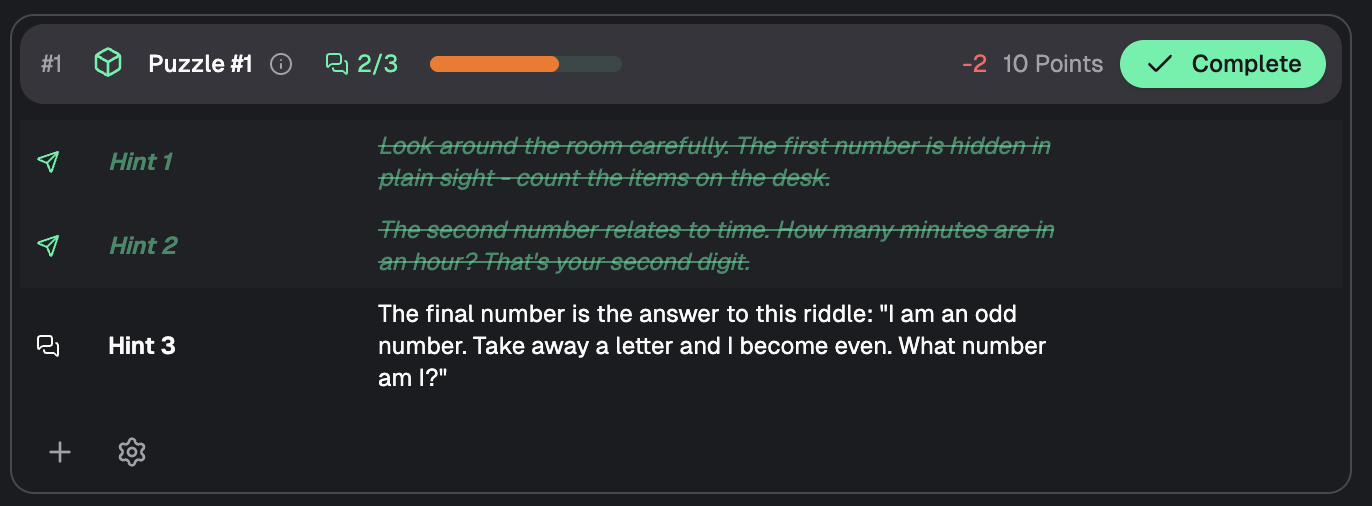
For example, all points for all puzzles will be added up to create a total points earn able for the room. If a puzzle is worth 10 points, you can then assign point deductions to certain clues. A vague clue might only deduct 1 point where a giveaway clue maybe deduct 5 points. If a player completes a puzzle without the need for help, they will earn all 10 points for that puzzle. The points will then be calculated upon game completion and output a final score which factors into the leaderboard ranking along with time remaining players in the room.
“Blocked By” Prerequisite Puzzle
A prerequisite puzzle is a puzzle that must be completed before the current one becomes available. This can be helpful for puzzle flow and gamemaster experience.

Creating a Clue
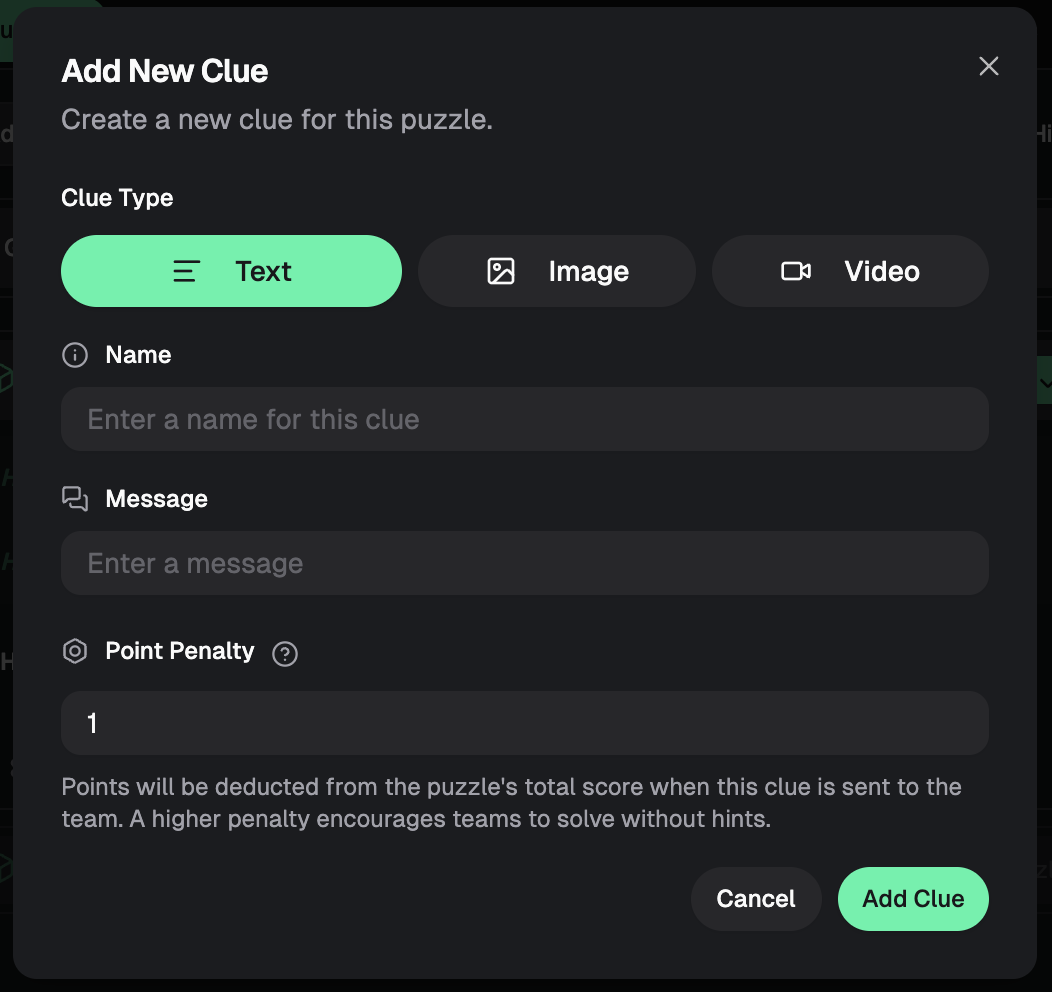
There are three types of clues: Text, Image, and Video. Each can be assigned a point penalty which will deduct from the total points that the puzzle is worth. This will factor into the final score.
Was this helpful?
Still need help? Ask the team