Changelog

Follow new updates and improvements to Escape Room Studio.

v2.7.2 - Bug Fixes

  • Enhance SoundsWidget component

  • Refactor sound pad loading logic to improve performance and clarity.

  • Implement delete pad confirmation and handling for better user experience.

  • Integrate timezone awareness in various report fetching functions for accurate data representation.

v2.7.1 - Added Welcome Screen to Player Window

New

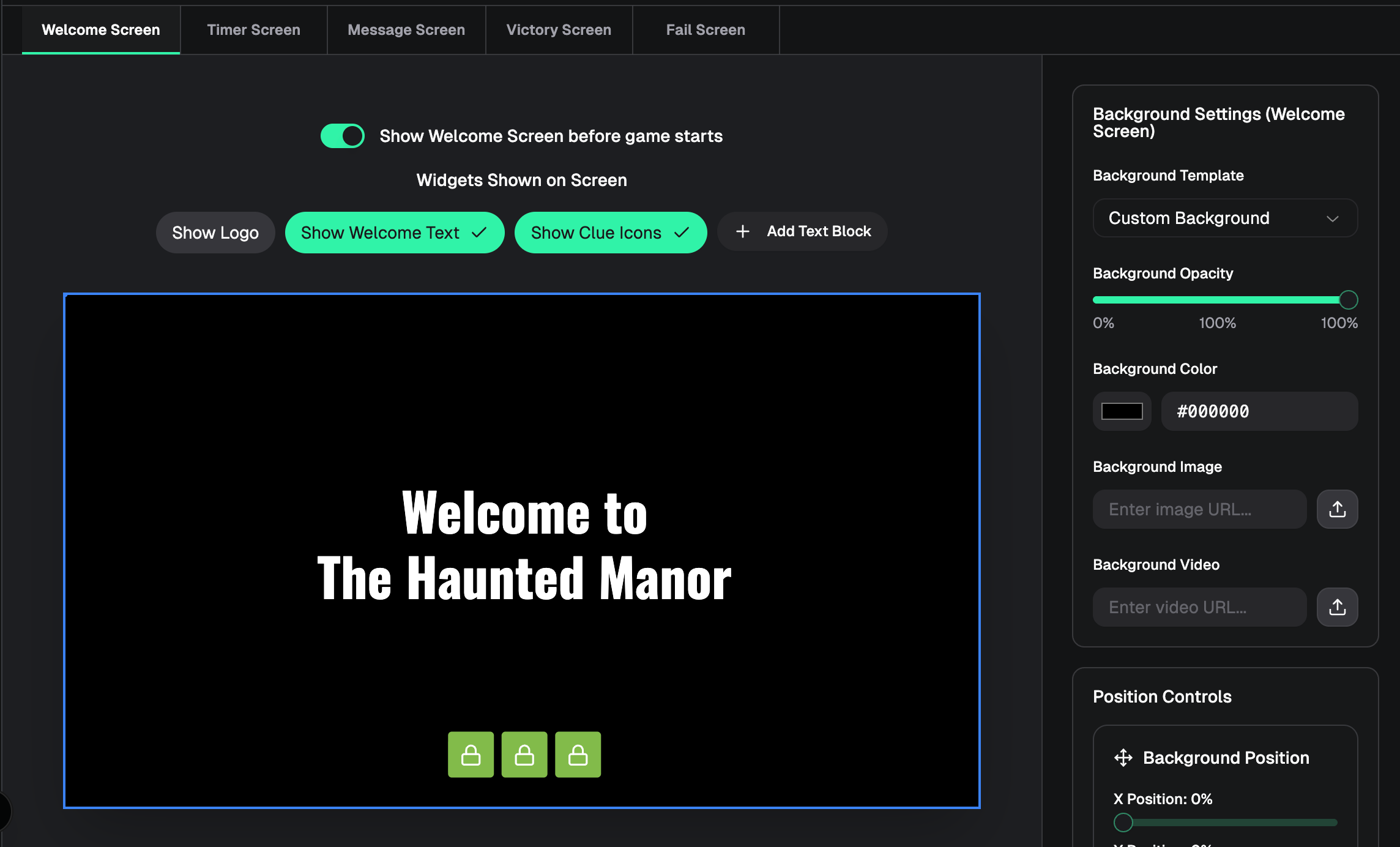
  • Welcome Screen — Optional pre-game screen on the player window, customizable in the designer with logo, welcome text, clue icons, background styling, and custom text blocks

  • Screen tabs — Designer screen picker is now a tab bar (Welcome, Timer, Message, Victory, Fail) instead of a dropdown

  • Message preview from real clues — Message screen designer preview uses the first text clue from your game instead of placeholder copy

Improved

  • Welcome screen off by default — Player window won’t show the welcome screen until you enable it in the designer and save

  • Welcome tab label — Shows “Welcome Screen (disabled)” when the welcome screen is turned off

  • Message widget settings — Sidebar styling now matches timer, logo, and other widget panels

  • Designer preview sizing — Preview keeps the correct 16:9 aspect ratio when the window is wide and short

  • Designer navigation — Sidebar back button returns to the game console (not the dashboard) while in the designer

Fixed

  • Welcome screen background color not updating in the designer preview

  • Trash icon on welcome screen custom text blocks not removing the block

  • Message screen logo placeholder looking different from other screens

  • Smooth welcome → timer transition on the live player window (from earlier in this work)

v2.7.0 — Audio Clues & Puzzle Management

New Features

Audio clues

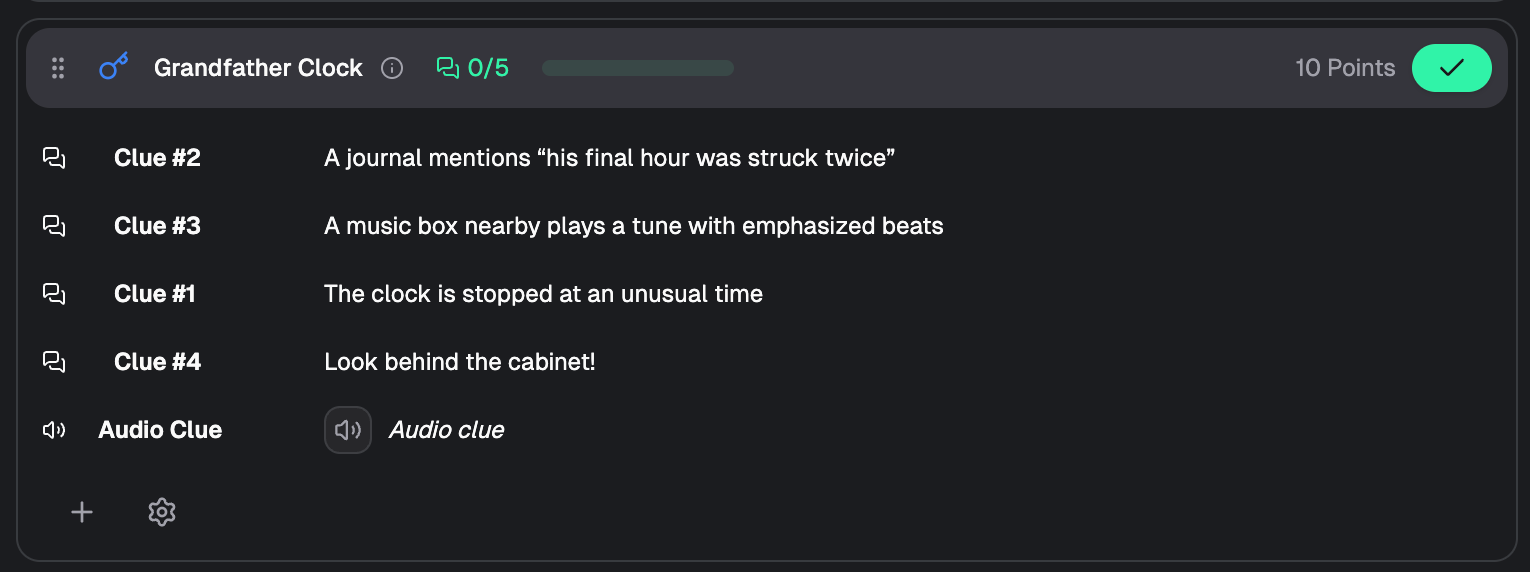
  • Upload and send audio clues from the game console (Pro tier)

  • Audio clues appear in chat with playback preview

  • Player window shows an animated “Audio clue” overlay while audio plays, then clears when finished

  • Background music automatically ducks during audio clue playback

Clue reordering

  • Drag and drop to reorder clues within a puzzle in the modern console view

  • Hover a clue row to reveal the grip handle, then drag to rearrange

  • Order is saved and persists across sessions

  • Works for text, image, video, and audio clues in regular and folder/general puzzles

Billing action alerts

  • Dashboard now shows a prominent banner when a subscription payment is past due or failed

  • Banner includes a direct Update payment link to the billing page

  • Alerts appear across the entire dashboard so teams don’t miss payment issues


Billing Improvements

Smarter subscription detection

  • Billing page now prioritizes past_due and unpaid subscriptions so payment issues are surfaced even when an older active subscription exists in the database

Past due / payment failed handling

  • Billing page shows a dedicated Payment Required section for past due or failed payments

  • Includes payment method management and an Update Payment Method action

  • Clear status labels: Past Due vs Payment Failed

Shared billing utilities
  • Centralized billing action logic for consistent messaging between the dashboard banner and billing page

Improved

Earlier updates